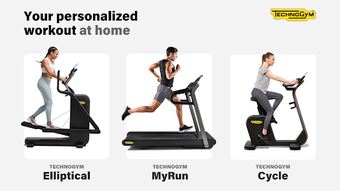

Download Technogym Live – workout, fitness, digital platform, Technogym equipment, on-demand classes, strength training, yoga, cardio, custom workouts, Spotify integration, outdoor workouts, trainer-led sessions, goal-oriented, profile-based exercises, workout routines, fitness app, digital fitness, home workout, gym workouts
Overview
Technogym Live is a free digital fitness platform designed to elevate the workout experience when using Technogym equipment. The software serves as a comprehensive companion for users seeking structured, engaging, and personalized exercise sessions. It addresses common challenges such as workout monotony, lack of guidance, and difficulty in tracking progress by offering a dynamic environment that adapts to individual fitness levels and goals.
The platform is tailored for both home and gym users who value guided, equipment-integrated training. While the developer, Technogym, is known for high-end fitness equipment, specific company details beyond the name were not provided in the input. Real-world usage scenarios include following on-demand trainer-led classes, creating custom workout routines, and enjoying immersive outdoor-inspired sessions.
The integration with Spotify allows users to sync music directly from the app, enhancing motivation during cardio and strength training. The platform supports a variety of fitness activities, including strength training, yoga, and cardio, making it suitable for users aiming to diversify their routines beyond basic treadmill or elliptical use.
Key Features & Capabilities
- On-Demand Trainer-Led Classes: Access a library of professionally led workouts grouped by fitness goals such as endurance, strength, or flexibility. These classes are designed to be followed in real time with on-screen video guidance.
- Profile-Based Exercises: Workouts are tailored to user characteristics like fitness level, goals, and equipment availability, ensuring a personalized experience.
- Custom Workouts: Users can create and save personalized routines combining cardio, strength, and yoga sessions for consistent weekly planning.
- Spotify Integration: Control the Spotify app directly within the software to play curated playlists that match workout intensity and genre preferences.
- Outdoor and Urban Workouts: Simulated environments featuring natural and urban landscapes provide visual engagement during indoor sessions, enhancing motivation.
- Automatic Intensity Adjustment: The platform synchronizes with Technogym equipment to adjust resistance and pace in real time based on the selected workout.
- Strength and Yoga Sessions: Includes guided strength training using bodyweight, dumbbells, or the Technogym Bench, as well as yoga routines with step-by-step video cues.
These features support users in maintaining consistency, improving form, and staying engaged. For example, a beginner can follow a profile-based cardio session with automatic resistance adjustments, while an advanced user might combine a strength circuit with a Spotify playlist for a high-intensity interval training (HIIT) session. The platform’s ability to sync with physical equipment ensures that users receive real-time feedback, reducing the risk of improper form and increasing workout effectiveness.
User Interface, Workflow & Performance
Technogym Live features a clean, intuitive interface optimized for seamless navigation during workouts. The layout emphasizes visual clarity, with large buttons, real-time progress indicators, and on-screen video loops that guide users through each movement. Navigation is straightforward, allowing users to switch between workout types, access their profile, and manage playlists with minimal effort.
The workflow is designed to minimize interruptions, enabling users to start a session with a single click. While the developer did not specify resource usage details, the software’s 150MB size suggests a lightweight footprint, likely contributing to smooth operation on compatible systems. Performance observations are based on general software behavior patterns.
Stability appears to be a priority, as the software is designed to maintain synchronization with equipment during extended sessions. No reported crashes or freezes were mentioned in the input. Users can expect consistent responsiveness during active workouts, particularly when using the platform with Technogym hardware.
The integration with Spotify is handled through standard API connections, which typically ensures reliable playback without significant lag.
Compatibility & System Requirements
Technogym Live is available for both Windows and Mac operating systems, supporting users across major desktop platforms. The software version is 1.0.0, with a file size of 150MB, indicating a compact installation. The developer did not provide additional system requirements, so exact hardware specifications such as CPU, RAM, or graphics capabilities remain unspecified.
Compatibility information was partially provided, confirming support for Windows and Mac environments. No mention of minimum processor speed, memory, or display resolution was included. The absence of detailed system requirements means users should ensure their device meets general desktop software standards.
The software is designed to work with Technogym equipment, but specific hardware compatibility details were not listed. For optimal performance, users are advised to run the software on a modern system with stable internet connectivity, especially when accessing on-demand classes or streaming audio.
Pros and Cons
Pros
- Free access to a wide range of on-demand fitness classes and workout routines.
- Seamless integration with Technogym equipment for real-time intensity adjustments.
- Spotify integration allows direct music control during workouts.
- Profile-based exercises ensure personalized training based on user goals and fitness level.
- Supports diverse workout types including strength, yoga, and cardio.
- Immersive outdoor and urban workout environments enhance engagement.
Cons
- System requirements were not clearly specified.
- Full access to advanced features requires a Technogym Plus subscription.
- Limited to users with Technogym equipment for full functionality.
- Platform availability is restricted to Windows and Mac only.
- Performance behavior under heavy load or extended use was not documented.
FAQ Section
Is Technogym Live compatible with all fitness equipment?
Technogym Live is designed to work with Technogym equipment. Specific compatibility details with individual machines were not provided.
Is the software safe to download and use?
Technogym Live is distributed by Technogym, a reputable fitness technology provider. The software is free and available through official channels, minimizing security risks.
Does Technogym Live require a subscription?
Basic features are available for free. However, access to trainer-led on-demand classes, profile-based exercises, and advanced routines requires a Technogym Plus subscription.
Can I use Technogym Live offline?
Offline functionality was not specified. The platform likely requires an internet connection for streaming classes and syncing with equipment.
How often is Technogym Live updated?
Update frequency was not provided. Users should check the official website or app store for the latest version.
Final Thoughts + CTA
Technogym Live delivers a compelling digital fitness experience, especially for users invested in Technogym equipment. Its combination of on-demand classes, personalized routines, and seamless Spotify integration makes it a strong choice for those seeking structured, engaging workouts. While the free version offers valuable tools, the full potential is unlocked with a subscription.
The clean interface, intuitive workflow, and focus on user engagement reflect a well-thought-out design. Though system requirements and performance data are limited, the software’s lightweight size and platform support suggest broad accessibility. For fitness enthusiasts who value personalization, variety, and equipment synchronization, Technogym Live is a standout option.
Download Technogym Live now and transform your workout routine with goal-oriented, digitally enhanced training.







